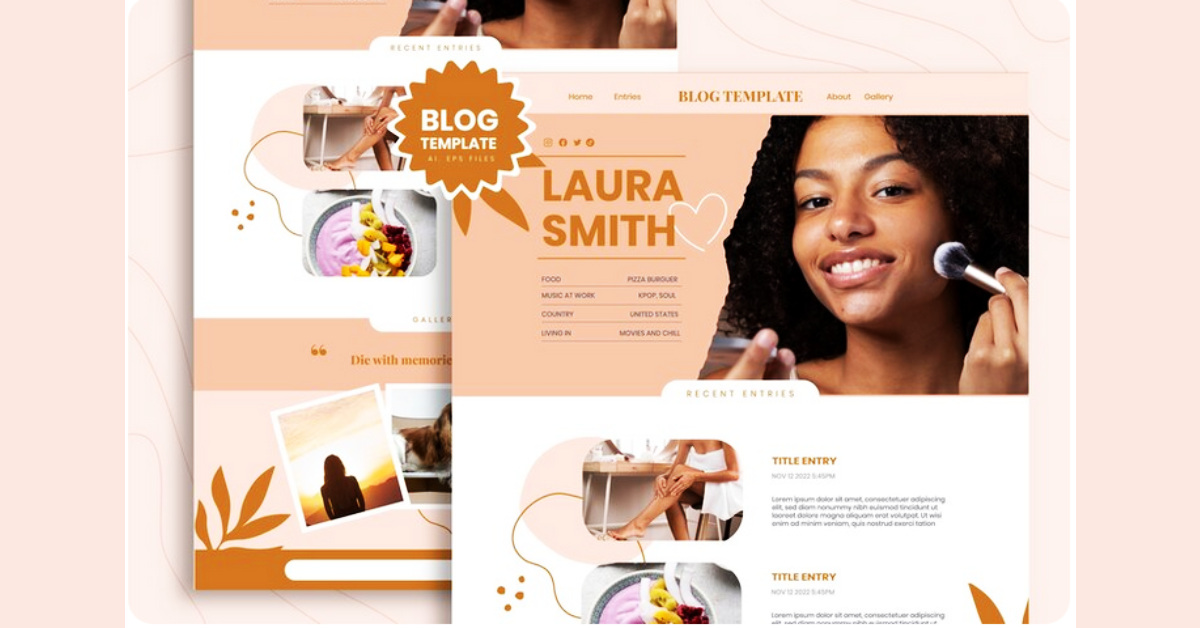
How to Create the Perfect Blog Layout (Step-by-Step Guide for 2026)
Let’s be real for a second.
You’ve poured your heart into your writing. You’ve done the research, crafted the perfect headline, and maybe even hit that sweet spot on Google. You hit publish, feeling proud.
But then you check your analytics. People are clicking away after just a few seconds. They’re not sticking around, they’re not clicking your links, and they’re certainly not buying what you offer.
It’s frustrating, right? It feels like you’re shouting into a void.
Here’s the hard truth that most people miss: It’s probably not your writing. It’s your layout.
Think of your blog like a cozy, welcoming coffee shop. You can serve the best coffee in the world, but if the chairs are uncomfortable, the lighting is harsh, and the signs are confusing, people will take their business elsewhere.
In 2026, the digital world is louder and more distracting than ever. Your reader’s attention is their most valuable currency, and they’re protective of it. If your blog feels cluttered, confusing, or hard to navigate, they won’t give you a second chance. They’ll just… leave. And that silent exodus is the fastest way to kill your blog’s growth.
But there’s good news. You don’t need to be a design guru or a tech wizard to fix this. You just need a simple, strategic plan.
Imagine a blog that feels calm and intentional. A place where readers arrive and instantly know where to look, what to do next, and feel compelled to stay. A layout that works for you, quietly guiding visitors to become subscribers, and subscribers to become customers.
That’s the power of a high-performing blog layout. It’s not just about making things look “pretty”—it’s about creating a clear path for your reader.
Ready to build a blog that people actually want to read? Let’s walk through the exact steps to create a modern, conversion-focused layout that will transform your site in 2026.
First, Let’s Reframe Your Thinking: Layout Is Strategy
Most bloggers treat their site's design like decorating a room — something you do at the end to make it look nice. But your layout isn't decoration. It's the very foundation of your reader's experience. And that foundation starts long before you arrange a single element on the page — it begins with your overall blog setup and platform selection, which determines how flexible and effective your layout can actually be. It’s the silent guide that influences every single action they take.
A strategic layout determines:
- How long people stay and soak in your expertise.
- Whether they actually read your content or just skim and leave.
- If they click on your internal links to explore more of your world.
- Whether they trust you enough to subscribe.
- And ultimately, if they’re compelled to buy your product, service, or course.
Even the smallest layout decision—like where you place a single button—can be the difference between a bounce and a loyal fan. So, for this entire process, I want you to stop asking, “Does this look nice?” and start asking, “Does this guide the reader clearly toward the next step?”
Step 1: Craft a Blog Post Page That Feels Like a Sanctuary
When a reader lands on your blog post, their brain should instantly register three things: what this is about, where they are, and what they can do next. No confusion. No clutter. Here is the foundational structure for every single post you write.
Start With a Strong Featured Image
Think of your featured image as a deep breath before the main event. It’s the visual buffer that separates your site’s header from your content, creating a moment of calm and polish. It signals, before a single word is read, that you are a professional who cares about the details.
Guide Them With Breadcrumbs
You know those little navigation links that look like this: Home > Blogging > Blog Design? Those are breadcrumbs, and they are small but mighty. They do three wonderful things: 1. They empower your reader. 2. They strengthen your site’s structure for search engines. 3. They reduce bounce rates by offering a clear, non-intrusive way to navigate.
Step 2: Welcome Them With a Sticky Top Bar (That Actually Helps)
Imagine having a helpful assistant standing at the top of your blog, gently reminding your readers of the amazing free resource you offer, without ever interrupting the flow of your article. That’s your sticky top bar. This thin banner stays visible as your reader scrolls, and it’s one of the most effective, non-annoying conversion tools you can use. You can promote your free ebook, newsletter, discount, webinar, or lead magnet. The key is to make it benefit-focused. Don’t just say “Subscribe to our newsletter.” That’s a request. Instead, offer a gift: “Get Our Free 30-Day Blogging Growth Plan.”
Step 3: Don’t Abandon the Sidebar—Reinvent It
You’ve probably heard the trend: go full-width, no sidebar! It looks clean and minimal. And while that can work, I’ve found that a thoughtfully designed sidebar is still a conversion powerhouse. It gives you prime real estate to connect with your reader without disrupting their experience. Think of it as your digital “about me” section and helpful resource center, all in one. Here’s what to include: 1. Your Primary Call-to-Action (Top Right) 2. A Warm “About” Section 3. A Search Bar 4. A Secondary Call-to-Action 5. Your Greatest Hits: Popular Posts.
Step 4: Make Your Content a Joy to Read (Not a Chore)
Imagine opening a book to find page after page of dense, unbroken text. You’d put it down immediately, right? The same is true for your blog. Even the most brilliant insights will be ignored if they’re hidden in a giant wall of text. Poor formatting is the enemy of engagement. Here’s how to make your content inviting:
- Write in short paragraphs. Aim for 2-4 lines. It creates white space, which is visual breathing room for the eyes.
- Use clear, descriptive headings (H2s and H3s). They act as signposts, allowing skimmers to find exactly what they’re looking for.
- Break things up with bullet points and numbered lists. They make information scannable and digestible.
- For long posts (1,500+ words), add a Table of Contents with jump links. This empowers readers to navigate directly to the sections they care about most, making even the longest guide feel manageable.
Step 5: Use Images and Video Intentionally
Visuals aren’t just decoration; they are powerful tools for understanding and engagement. But use them with intention. If you’re explaining a complex concept, add a simple diagram or a screenshot. If a process is easier to show than tell, embed a short video. This strategy: increases time on page, boosts understanding and satisfaction, and improves content retention. The golden rule? Every visual element must serve a purpose. Avoid clutter at all costs.
Remember, Your layout is only as good as the theme that powers it. A poorly coded theme can ruin even the best layout design. That's why we've tested and reviewed the best WordPress themes for 2026, both free and premium so you can start with a fast, flexible foundation before you fine-tune your layout.
Step 6: Add Subtle, Scroll-Based Elements
A few gentle, scroll-based elements can enhance the user experience and improve conversions without feeling pushy. Consider sticky sidebar CTAs, floating social share buttons, or a scroll-triggered opt-in that appears only after they’ve read a certain percentage of the post. And please, ensure your blog is accessible to everyone. In 2026, designing for users with visual or physical impairments isn’t just a nice-to-have; it’s a fundamental part of responsible, inclusive design.
Step 7: Always Close With Intent (Never Just Fade Out)
Here’s a secret: many readers scroll straight to the bottom before they decide to commit to reading the whole post. They want to see how it wraps up. That’s why a strong conclusion is non-negotiable. In this section, you should: briefly summarize the key takeaways, restate the main core message, encourage a specific action. Then, follow it up with a genuine question to spark conversation, a gentle clear CTA, and an invitation to explore related content. Never let your blog post just “end.” Close the loop with intention and guide them warmly to their next step.
Step 8: Treat Your Main Blog Page Like a Curated Shop Window
Your main blog page (the one that lists all your posts) deserves just as much strategy as your individual posts. Don’t just stack posts chronologically and call it a day. Think about how readers actually explore. One of my favorite approaches is to add category filtering. Imagine a reader landing on your page and seeing: “I want to learn about…” with buttons for SEO, Monetization, Design, or Email Marketing. This turns browsing from a passive scroll into an active, intuitive discovery process, dramatically increasing engagement. And don’t forget to highlight your lead magnet here too. Your blog homepage is high-traffic real estate. Use it to convert visitors, not just inform them.
Step 9: Build a Web of Internal Links
Your layout isn’t just visual—it’s structural. Your internal linking system is the invisible web that guides readers deeper into your site. Make it a habit to: add relevant inline internal links, include a “Related Posts” section, and use “Popular Content” widgets in your sidebar. This strategic structure improves your SEO, increases session duration, and helps readers discover more of the content they’ll love. Within months, you’ll see a measurable difference.
Step 10: Design for Conversions, Not Just Aesthetics
It’s easy to fall in love with a beautiful design. But a blog that is all looks and no strategy is just a digital diary. If you want your blog to grow and support you, you must constantly ask: Where can someone subscribe? Where can someone learn about my offerings? Where can someone explore more of my best content? Every single page on your site should offer multiple, clear paths forward. But here’s the crucial balance: Don’t overwhelm them. Clarity and simplicity will always convert better than complexity and noise. Offer paths, but don’t create a confusing intersection.
Step 11: Remember That Simplicity Always Wins
The perfect blog layout is not loud. It’s not chaotic. It feels calm, confident, and intentional. To achieve this, avoid too many different fonts, a chaotic rainbow of colors, aggressive intrusive pop-ups that appear immediately, and distracting animations that serve no purpose. A professional blog feels like a trusted friend—calm, clear, and helpful. If your current layout feels busy or overwhelming, your number one task is to simplify it.
Step 12: Fall in Love with Mobile Optimization
This is not optional. The majority of your readers are almost certainly on a phone. If your blog isn’t a joy to experience on a small screen, you are quietly bleeding readers every single day. Test everything. On your phone. On a tablet. On a desktop. Religiously. Check your font size, button spacing, image scaling, and sidebar behavior. A layout that breaks on mobile will silently and systematically undermine all your hard work.
The Real Gift of the Perfect Blog Layout
When you get your layout right, something magical happens. It stops being something you worry about and starts being a silent partner in your success. Readers stay longer, captivated by the ease of the experience. They click more, because the path is clear and inviting. They subscribe more, because the offers feel like helpful gifts, not interruptions. They trust you more, because the professionalism of your site reflects the quality of your ideas. And yes, your revenue grows, because the journey from reader to customer becomes a natural, logical step.
Layout is silent persuasion. It doesn’t shout at readers. It doesn’t pressure them. It simply and warmly guides them.
You don’t need a complicated, expensive design. You need an intentional structure.
Start with these steps: 1. A clean, focused blog post layout. 2. A strategic, helpful sidebar. 3. A sticky top bar with a valuable offer. 4. Content that is formatted for joy, not a chore. 5. A strong, action-oriented conclusion. 6. A mobile experience that feels effortless.
Then, improve gradually. Your layout will evolve as your audience grows. But when your layout finally supports your content instead of fighting it, everything changes. Traffic becomes meaningful. Readers become subscribers. Subscribers become customers.
That’s not just the power of a layout. That’s the power of creating a space people genuinely want to be. And that is what building a blog in 2026 is all about.